
REPORTING MEMBERS AS ALUMNI
Accurate and timely reporting when active members transition to alumni when they graduate is a crucial component of keeping your roster up-to-date. Below are detailed instructions for the proper process of reporting active members as alumni.
Steps to Transition Active Members to Alumni

- Access the Roster by navigating to your chapter dashboard in the Phi Psi Portal and selecting the Roster icon.
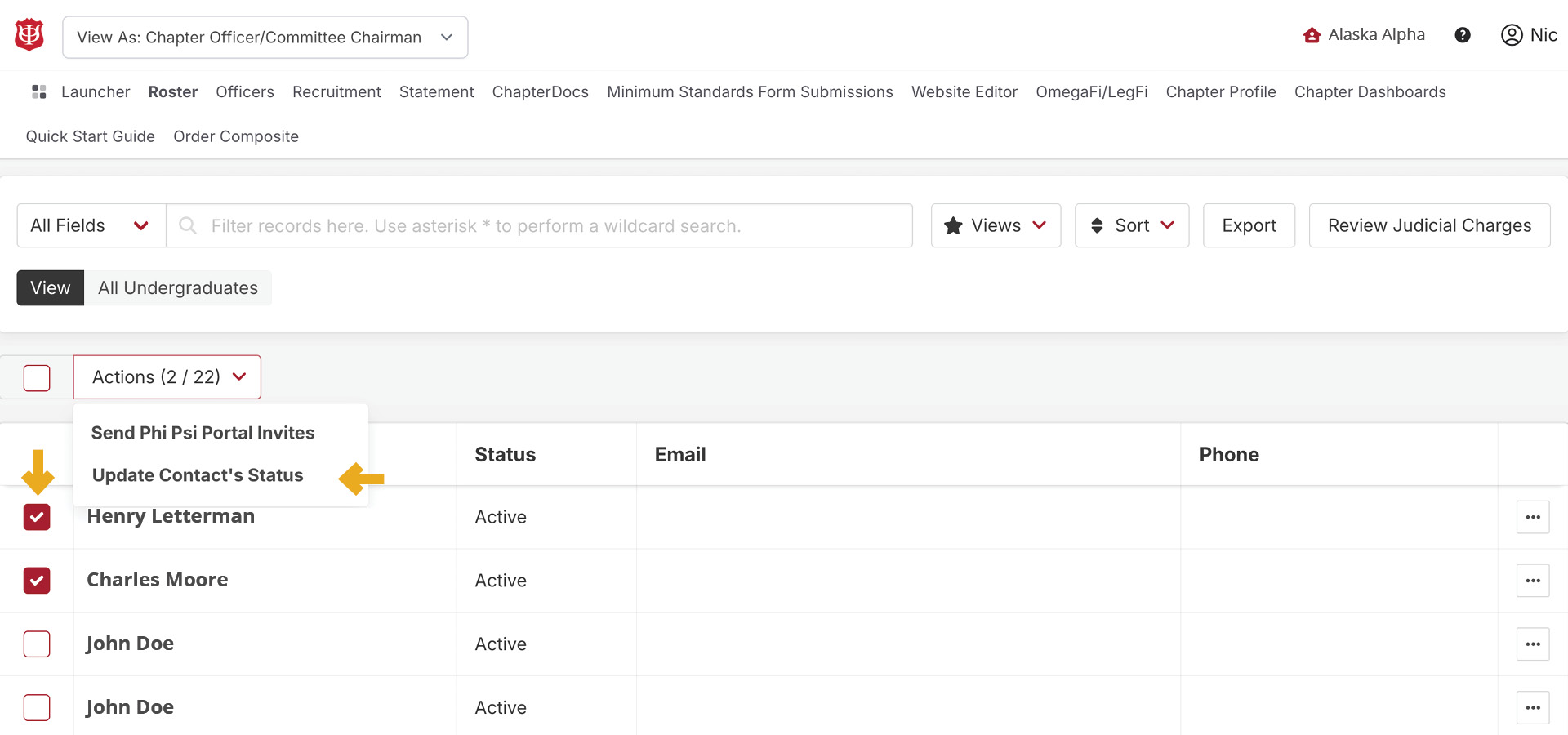
- For members who have graduated, you can move them to alumni status by selecting the specific members and selecting “Update Contact’s Status” in the Actions dropdown.
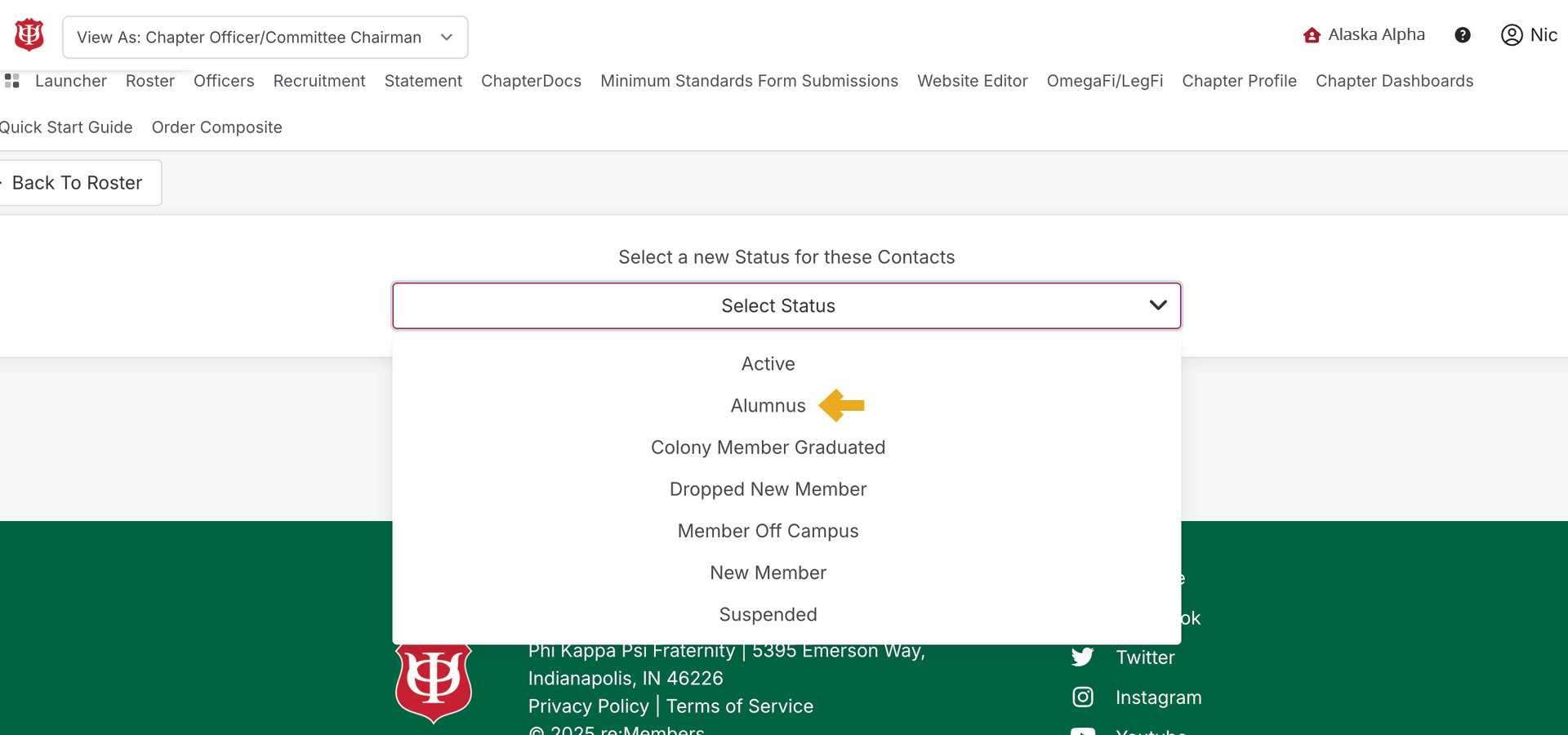
- Click in the dropdown the appropriate status you want these contacts to be. To make them alumni, select “Alumnus.”
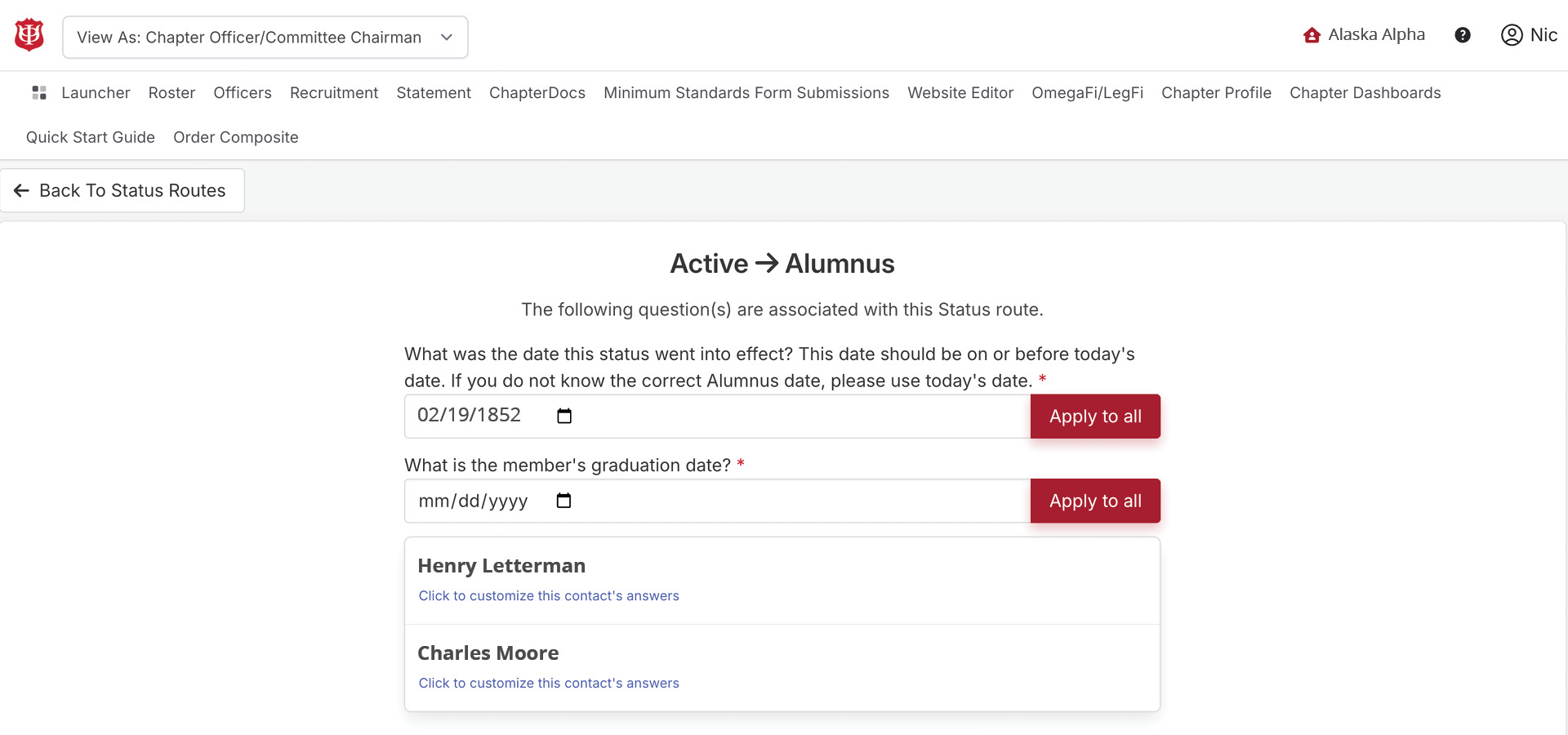
- You will be asked to fill in the dates for when the status should take into effect. You will also be asked the contact’s graduation date. Fill out both of these dates. If these dates apply for all contacts, click the “Apply to All” button.Once these dates are filed out for each contact, click save.